When it comes to enhancing your iPad 10th Gen experience with the precision and versatility of an Apple Pencil, the options can feel a bit like navigating a maze. You're not alone if you've found yourself asking: "Which Apple Pencil actually works with my iPad 10th generation?" It's a common question, and one that often leads to confusion, thanks to Apple's evolving lineup of styluses and iPad models.
The truth is, while your iPad 10th Gen offers fantastic capabilities, its compatibility with Apple Pencils isn't as straightforward as you might hope. It supports specific models, each with distinct features and—crucially—unique charging and pairing methods. Understanding these nuances is key to choosing the right tool for your creative endeavors or productivity needs.
At a Glance: Apple Pencil Compatibility for iPad 10th Gen
Choosing the right Apple Pencil for your iPad 10th Gen involves a couple of important considerations. Here’s a quick breakdown:
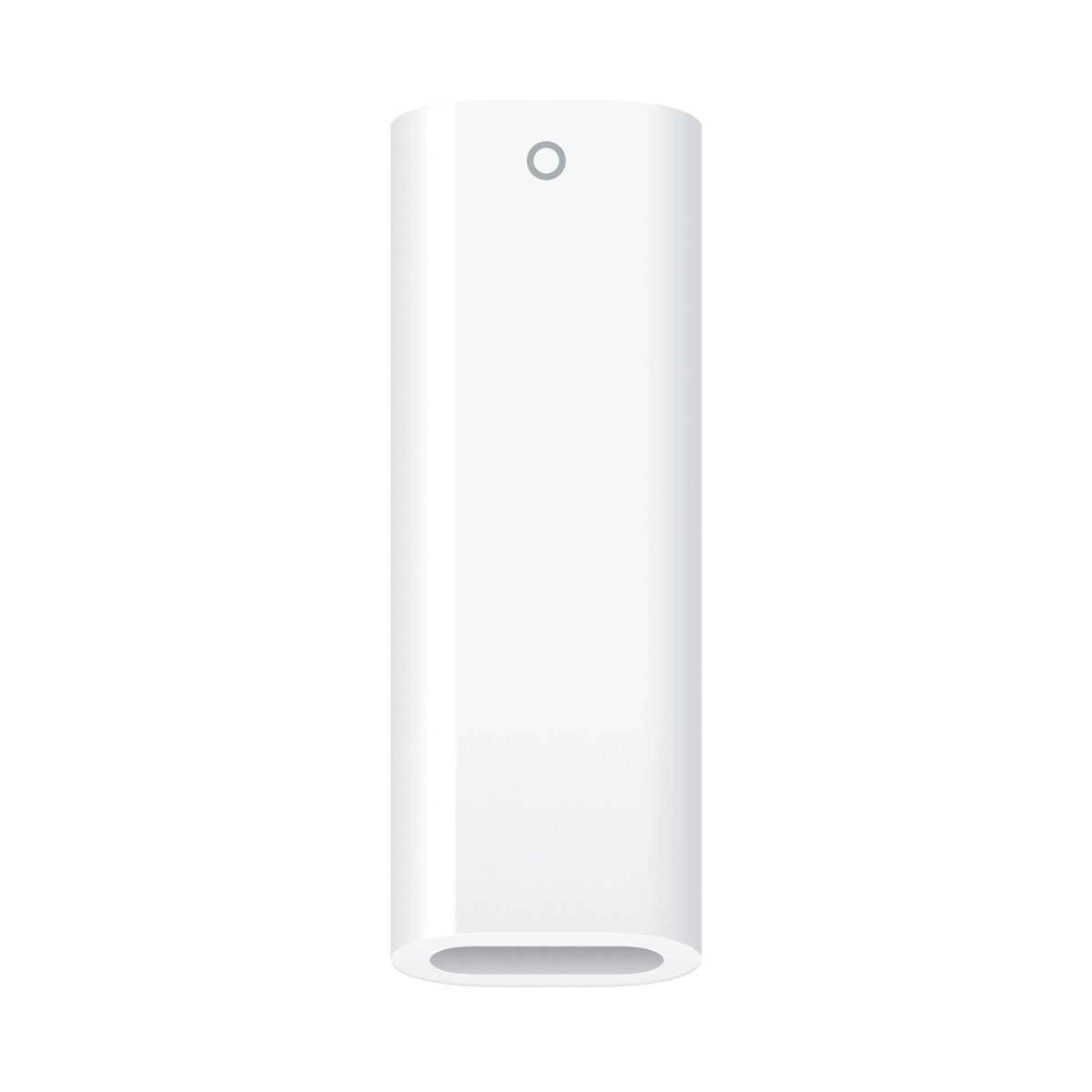
- Apple Pencil (1st Generation): Yes, but with an adapter. It requires the USB-C to Apple Pencil Adapter for charging and pairing, which is sold separately.
- Apple Pencil (2nd Generation): No. This model is not compatible with the iPad 10th Gen.
- Apple Pencil (USB-C): Yes. This is a direct, no-adapter-needed option, but it lacks pressure sensitivity.
- Apple Pencil Pro: No. This latest model is not compatible with the iPad 10th Gen.
- Key Decision: You'll primarily be choosing between the Apple Pencil (1st Generation) (with adapter, offers pressure sensitivity) and the Apple Pencil (USB-C) (no adapter, no pressure sensitivity).
Decoding the Apple Pencil Lineup: Why It's Not One-Size-Fits-All
Apple has steadily expanded its iPad and Apple Pencil families, introducing different generations and specialized models. This evolution means that while each Pencil is a marvel of design and technology, it's engineered to work with particular iPad hardware. Think of it like a puzzle where not every piece fits every slot—especially when it comes to features like magnetic charging, pressure sensitivity, and specific port types.
The iPad 10th Gen, released with a modern USB-C port, introduced a slight wrinkle for those looking to use the original Lightning-based Apple Pencil. But fear not, there are excellent options available. Let's break down each Apple Pencil model and its precise relationship with your iPad 10th Gen.
The Original Workhorse: Apple Pencil (1st Generation) and Your iPad 10th Gen
The very first Apple Pencil remains a solid choice, especially for those who prioritize a full-featured drawing experience.
Features and What They Mean for You:
- Pressure Sensitivity: This is a big one for artists. It means the harder you press, the thicker or darker your line will be. This nuanced control is essential for natural drawing, shading, and lettering.
- Tilt Sensitivity: Angle the Pencil, and your strokes will respond, mimicking a real pencil or brush. Great for shading and broad strokes.
- Precision: It offers pixel-perfect accuracy, making it ideal for detailed work.
The Charging and Pairing Twist: An Adapter is Required
Here's where the iPad 10th Gen introduces a specific requirement for the 1st Gen Apple Pencil:
- Original 1st Gen Pencils: These charge and pair via a Lightning connector, typically by plugging directly into an iPad's Lightning port.
- iPad 10th Gen: Your device has a USB-C port, not a Lightning port.
- The Solution: You'll need the USB-C to Apple Pencil Adapter. This small accessory allows you to connect the Lightning end of the 1st Gen Pencil to the adapter, and then the adapter's USB-C end to your iPad 10th Gen for both pairing and charging.
Our Take: The Apple Pencil (1st Generation) with the adapter is the right choice if pressure sensitivity is non-negotiable for your creative applications. It offers the most comprehensive drawing and design experience among the compatible options for the 10th Gen. Just remember to keep that adapter handy!
The Modern, Simplified Choice: Apple Pencil (USB-C) for Your iPad 10th Gen
Released in 2023, the Apple Pencil (USB-C) was designed to offer a more accessible and streamlined option for a wider range of USB-C-equipped iPads, including your iPad 10th Gen.
Features and Limitations:
- USB-C Charging & Pairing: This is its biggest convenience factor for the iPad 10th Gen. Simply slide out the USB-C cap on the Pencil, plug it directly into your iPad's USB-C port, and it charges and pairs instantly. No adapter needed!
- Hover Feature: On compatible iPads (like the iPad 10th Gen, running iPadOS 17.1.1 or later), this allows you to preview a mark before you make it, or interact with UI elements just by holding the Pencil above the screen.
- Tilt Support: Like the 1st Gen, it supports tilt for dynamic line effects.
- Magnetic Attachment: It magnetically attaches to the side of your iPad for storage. However, note that this attachment is for storage only, not for charging or pairing on the iPad 10th Gen.
- No Pressure Sensitivity: This is the key difference. Strokes will have a uniform thickness regardless of how hard you press. This is perfectly fine for many tasks but can be a deal-breaker for serious artists.
Who Is This Pencil For?
If your primary use cases are note-taking, annotating documents, light sketching, navigating your iPad, or simply enjoying the precision of a stylus without needing pressure-sensitive artistic control, the Apple Pencil (USB-C) is an excellent, hassle-free option for your iPad 10th Gen. It offers a great balance of features and convenience, especially for students and general users.
The Incompatible Ones: Why Apple Pencil 2nd Gen and Apple Pencil Pro Don't Work
Understanding why certain models don't work is just as important as knowing which ones do.
Apple Pencil (2nd Generation)
- Why it's not compatible: This Pencil relies on a specific internal hardware component within certain iPads for magnetic wireless charging and pairing. The iPad 10th Gen simply doesn't have this hardware.
- Features you'd miss out on (if it were compatible): Double Tap gesture for tool changes, magnetic wireless charging (its signature feature), and Hover on iPad Pro models.
- Our Take: Don't try to force it. The 2nd Gen Apple Pencil will not work with your iPad 10th Gen.
Apple Pencil Pro
- Why it's not compatible: The Apple Pencil Pro, the newest and most advanced model, requires even more specialized hardware found exclusively in the very latest M-chip iPads (like the M4 iPad Pro or M2/M3 iPad Airs). The iPad 10th Gen lacks these advanced components.
- Features you'd miss out on (if it were compatible): Barrel roll, Squeeze gestures, haptic feedback, Find My support, and magnetic wireless charging.
- Our Take: The Apple Pencil Pro is bleeding-edge tech for the newest iPads only. It is not compatible with your iPad 10th Gen.
Making the Right Choice: 1st Gen vs. USB-C for Your iPad 10th Gen
Now that you understand the lay of the land, let's distill your decision. For your iPad 10th Gen, your choice boils down to these two excellent, albeit different, options:
- Apple Pencil (1st Generation) + USB-C to Apple Pencil Adapter
- Pros: Offers full pressure sensitivity and tilt, making it ideal for drawing, digital painting, and detailed graphic design. It provides a more natural, traditional art tool feel.
- Cons: Requires a separate adapter for charging and pairing, which means one more accessory to keep track of and potentially purchase. The charging method (plugging it in) isn't as seamless as magnetic wireless charging.
- Best for: Artists, designers, serious note-takers who use variable line weight, and anyone who values the expressive control of pressure sensitivity.
- Apple Pencil (USB-C)
- Pros: Direct USB-C charging and pairing with your iPad 10th Gen – no adapter needed. Supports tilt and the handy Hover feature. More budget-friendly.
- Cons: Lacks pressure sensitivity. This means your lines will have uniform thickness regardless of how hard you press. The magnetic attachment is for storage only, not charging.
- Best for: Students, educators, business professionals, and casual users whose primary needs are note-taking, annotating PDFs, light sketching, navigation, and general productivity where pressure sensitivity isn't a critical feature.
Consider your budget, your primary usage, and your tolerance for carrying an adapter. If you're an aspiring artist, the 1st Gen is probably worth the extra step. If you just need a precise stylus for productivity, the USB-C Pencil is tough to beat for convenience. For more in-depth comparisons, you might find valuable insights in a detailed article on Apple Pencil for 10th Gen iPad.
Getting Started: Pairing and Charging Your Chosen Pencil
Once you've made your decision, getting your Apple Pencil ready is straightforward.
For Apple Pencil (1st Generation) with iPad 10th Gen:
- Attach the Adapter: Remove the cap from your Apple Pencil (1st Generation) to reveal the Lightning connector. Plug this into the Lightning port of the USB-C to Apple Pencil Adapter.
- Connect to iPad: Plug the USB-C end of the adapter into the USB-C port on your iPad 10th Gen.
- Pairing: Your iPad should display a "Pair" button. Tap it to connect. Once paired, you can unplug the adapter.
- Charging: To charge, simply repeat steps 1 and 2. You'll see the charge status on your iPad.
For Apple Pencil (USB-C) with iPad 10th Gen:
- Expose USB-C Port: Slide the cap on the Apple Pencil (USB-C) to reveal its USB-C connector.
- Connect to iPad: Plug the Apple Pencil directly into the USB-C port on your iPad 10th Gen.
- Pairing: Your iPad should automatically detect it and ask to pair. Tap "Pair."
- Charging: It charges directly from your iPad when plugged in. A quick plug-in will give you a boost, and a longer connection will fully charge it.
Beyond the Basics: Practical Tips and Common Questions
How can I check my iPad model to be absolutely sure?
It's always smart to double-check!
- Open the Settings app on your iPad.
- Tap on General.
- Tap on About.
- Look for Model Name. It should clearly state "iPad (10th Generation)."
Can I use an Apple Pencil with multiple iPads?
An Apple Pencil can technically be paired with multiple iPads, but only one at a time. If you move it to another compatible iPad, you'll need to pair it again with the new device. For instance, if you pair your 1st Gen Pencil with your iPad 10th Gen, and then lend it to a friend with an iPad 9th Gen, they'll need to pair it with theirs. When it comes back to you, you'll need to re-pair it with your 10th Gen.
Are there any third-party stylus alternatives?
Yes, several companies make styluses that work with iPads. However, they generally don't offer the same level of integration, precision, or advanced features (like pressure sensitivity, tilt, or the Hover feature) as the Apple Pencil. While some are great for basic navigation and simple note-taking, they typically fall short for creative work. Always read reviews carefully and check for specific feature compatibility before purchasing a third-party option.
What about the "Hover" feature? How does it work?
The Hover feature, available on the Apple Pencil (USB-C) and other advanced Apple Pencils with compatible iPads (like your 10th Gen running iPadOS 17.1.1 or later), lets you see a preview of where your mark will land before the Pencil even touches the screen. In apps like Freeform or Notes, you might see the brush size change, or in creative apps, you can preview colors or effects. It's a subtle but useful enhancement for precision.
Does the Apple Pencil (USB-C) magnetically attach to the iPad 10th Gen for charging?
No. While the Apple Pencil (USB-C) does magnetically attach to the side of the iPad 10th Gen, this is purely for storage. It does not charge or pair wirelessly when attached to the 10th Gen iPad. For those features, you'll need to plug it directly into the iPad's USB-C port.
Future-Proofing Your iPad & Pencil Investment
While your current focus is your iPad 10th Gen, it's worth a moment to consider future upgrades. If you anticipate upgrading to a new iPad Pro or iPad Air model down the line, keep in mind that those devices typically support the Apple Pencil (2nd Generation) or the Apple Pencil Pro, which offer advanced features like magnetic charging and enhanced gestures.
However, for now, focus on what works best for your iPad 10th Gen and your current needs. Whether you opt for the pressure-sensitive capabilities of the 1st Gen (with its adapter) or the straightforward convenience of the USB-C Pencil, you'll be unlocking new dimensions of productivity and creativity on your device.
The world of Apple Pencil compatibility for the iPad 10th Gen isn't as simple as plug-and-play across the board, but with this guide, you're now equipped to make an informed, confident decision. Enjoy bringing your ideas to life!