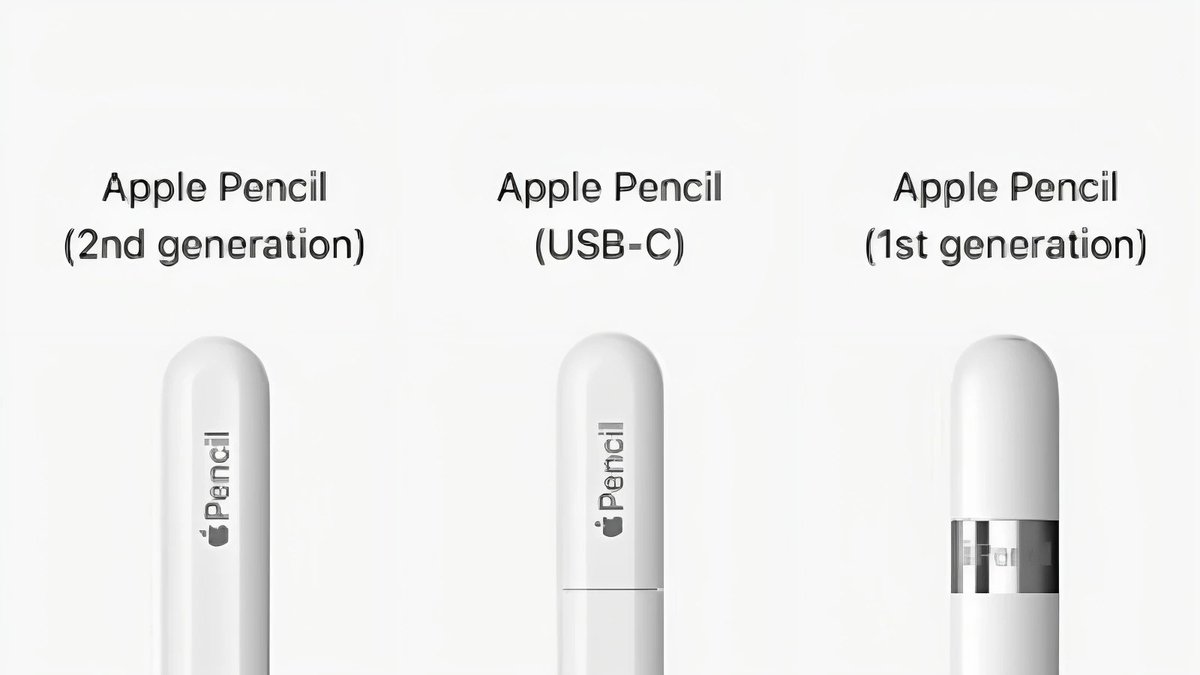
The Apple Pencil ecosystem has become a cornerstone for iPad users looking to transform their tablets into powerful creative and productivity tools. But if you’re the proud owner of an iPad 10th Generation, you’ve likely stumbled into a minor conundrum: Which Apple Pencil is right for you? Specifically, the choice often boils down to the original Apple Pencil (1st Gen) vs. the newer Apple Pencil (USB-C). This isn't just about price; it's about features, convenience, and how you intend to use your iPad.
It's easy to get lost in the nuances of Apple's four-tier Pencil lineup – the Pro, 2nd Gen, USB-C, and 1st Gen. For your iPad 10th Gen, however, the playing field simplifies considerably. Let's cut through the noise and equip you with the knowledge to make the best decision.
At a Glance: Your Quick Decision Cheat Sheet
Before we dive deep, here are the core takeaways to help set your expectations for the Apple Pencil (1st Gen) vs. USB-C for iPad 10th Gen:
- iPad 10th Gen Compatibility: Both the Apple Pencil (1st Gen) and Apple Pencil (USB-C) are compatible with your iPad 10th Gen.
- Key Feature Difference: The 1st Gen offers pressure sensitivity (crucial for artists), while the USB-C version does not.
- Unique USB-C Feature: The USB-C Pencil introduces Apple Pencil Hover, which the 1st Gen lacks.
- The Charging & Pairing Headache (1st Gen): To charge and pair the 1st Gen Pencil with your iPad 10th Gen, you must use a USB-C to Lightning Adapter. This adds an extra dongle and a somewhat awkward charging method.
- Charging Simplicity (USB-C): The USB-C Pencil charges and pairs directly with your iPad 10th Gen via a USB-C cable.
- Magnetic Attachment: The USB-C Pencil attaches magnetically to the side of your iPad for storage only. The 1st Gen has no magnetic attachment.
- Price: The USB-C Pencil is generally more affordable at $79, compared to the 1st Gen at $99.
- Who it's for:
- 1st Gen: Aspiring artists, digital painters, or serious note-takers who absolutely need pressure sensitivity and don't mind the charging adapter.
- USB-C: Students, general note-takers, light sketchers, or anyone prioritizing convenience and budget over pressure sensitivity.
Why the Confusion? Deciphering Apple's Pencil Lineup
Apple’s decision to offer four distinct Apple Pencil models, each with specific compatibility and feature sets, can feel like navigating a maze. For the iPad 10th Generation, this maze narrows down to a choice between two very different Pencils that share surprisingly little beyond the "Apple Pencil" name.
When the iPad 10th Gen was first released, it came with a USB-C port, but, quite unexpectedly, only supported the Lightning-equipped Apple Pencil (1st Gen). This necessitated a separate USB-C to Lightning Adapter, creating an immediate point of frustration for many. Fast forward a bit, and Apple introduced the Apple Pencil (USB-C), a more streamlined option for USB-C iPads. This update significantly changed the landscape, offering a direct, albeit feature-adjusted, alternative for your 10th Gen iPad.
Understanding the specific features, or lack thereof, in each model is paramount to ensuring your investment truly enhances your iPad experience. It’s not about finding the "best" Apple Pencil overall, but the "best" one for you and your 10th Gen iPad. We'll explore the details that matter in your decision, from creative control to everyday practicality. If you're looking for a broader overview of the options, you can dive deeper into the full range of Apple Pencil for 10th Gen iPad choices.
The Contenders: Apple Pencil 1st Gen vs. USB-C — A Head-to-Head Battle
Let's put both Pencils under the microscope, focusing on what matters most for an iPad 10th Gen owner.
The Classic Contender: Apple Pencil (1st Generation)
The original Apple Pencil set the standard for stylus performance on a tablet. It introduced features that felt almost magical: pixel-perfect precision, remarkably low latency, and superb tilt sensitivity. But its standout feature, and arguably its most compelling reason for existence today, is pressure sensitivity.
- Key Features:
- Pressure Sensitivity: This is the big one. It allows you to press harder for thicker lines or softer for finer strokes, mimicking traditional art tools. Essential for drawing, painting, and even expressive handwriting.
- Tilt Sensitivity: Shade by tilting the Pencil, just like a charcoal stick.
- Pixel-perfect precision and low latency: Lines appear instantly and exactly where you expect them to.
- The Catch for iPad 10th Gen: The Adapter Saga
This is where things get... quirky. The Apple Pencil (1st Gen) has a Lightning connector on its tail. Your iPad 10th Gen, however, has a USB-C port. To pair and charge the 1st Gen Pencil, you must use a USB-C to Lightning Adapter. This means:
- You plug the adapter into your iPad's USB-C port.
- You plug the 1st Gen Pencil's Lightning connector into the adapter.
It's an extra step, an extra piece of hardware to keep track of, and an undeniably less elegant charging solution compared to other Pencils.
- What it Lacks: No magnetic attachment (it'll roll off your desk!), no Apple Pencil hover, no double-tap for tool switching, and no wireless charging.
- Price: $99.
The Modern Budget Pick: Apple Pencil (USB-C)
Launched as a more accessible option, the Apple Pencil (USB-C) feels purpose-built for the modern USB-C iPad lineup, including your iPad 10th Gen. It streamlines the connectivity experience significantly but makes one critical sacrifice.
- Key Features:
- Apple Pencil Hover: A neat trick that allows you to see a preview of your mark before your tip touches the screen. Great for precision and navigation.
- Tilt Sensitivity: Still allows for shading effects.
- Pixel-perfect precision and low latency: Maintains the core responsiveness you expect from an Apple Pencil.
- Magnetic Attachment: Attaches magnetically to the side of your iPad 10th Gen for storage only. It doesn't charge this way.
- USB-C Charging & Pairing: Plugs directly into your iPad 10th Gen's USB-C port with a USB-C cable (or the iPad's own charger) for quick and easy pairing and charging. No adapter needed!
- The Dealbreaker for Some: No Pressure Sensitivity
This is the main trade-off. If you’re an artist who relies on varying line thickness with pressure, this Pencil won't deliver. It draws with a consistent line weight, regardless of how hard you press. - What else it Lacks: No wireless charging (even though it attaches magnetically, it's just for storage), no double-tap to switch tools, and no free engraving.
- Price: $79.
Feature Face-Off: What You Gain, What You Lose
Let’s dissect the features that truly differentiate these two Pencils for your iPad 10th Gen experience.
Pressure Sensitivity: The Artistic Edge
This is arguably the most significant differentiator.
- Apple Pencil (1st Gen): Has it. When you press harder with the 1st Gen Pencil, your line gets thicker and darker (depending on the brush/tool). Press lightly, and you get a thin, delicate stroke. This nuance is crucial for digital painting, calligraphy, hand-lettering, and even for adding emphasis in notes. Imagine sketching a landscape where you want heavy foreground lines and wispy background details – pressure sensitivity makes this intuitive.
- Apple Pencil (USB-C): Lacks it. This Pencil draws with a uniform line weight. While tilt sensitivity still allows for some variation (like shading), you won't get the dynamic control that comes with pressure input. For basic sketching, outlining, or simple diagrams, this might not be an issue. For anything requiring artistic expression or varied line work, it's a significant omission.
Verdict: If you plan on any serious drawing, painting, or even highly expressive handwriting, the 1st Gen Pencil's pressure sensitivity is non-negotiable.
Apple Pencil Hover: A Glimpse into the Future
Hover is a relatively new feature in the Apple Pencil lineup, and the USB-C model brings it to your iPad 10th Gen.
- Apple Pencil (USB-C): Has it. With hover, your iPad detects the Pencil tip before it touches the screen. This allows for a small reticle to appear, showing you exactly where your mark will land. It's fantastic for precision tasks, like selecting small UI elements, previewing brush strokes in art apps, or navigating complex documents without accidentally tapping.
- Apple Pencil (1st Gen): Lacks it. The 1st Gen Pencil operates directly on contact. While still incredibly precise, you don't get that pre-touch visual feedback.
Verdict: Hover is a nice-to-have for precision and navigation, but it's rarely a dealbreaker feature on its own, especially if you prioritize pressure sensitivity.
Charging & Pairing: The Practicality Puzzle
This is where the user experience for the iPad 10th Gen diverges dramatically between the two Pencils.
- Apple Pencil (1st Gen): The Adapter Dance.
As mentioned, the 1st Gen Pencil needs the USB-C to Lightning Adapter. - Pairing: Plug the adapter into your iPad, then plug the Pencil into the adapter. Your iPad will prompt you to pair.
- Charging: The same awkward setup. You can technically charge it by plugging it directly into an old Lightning port, but for your 10th Gen iPad, the adapter is your only option. Many users find this inconvenient, bulky, and an easy way to lose a small, crucial adapter.
- Apple Pencil (USB-C): Seamless & Direct.
- Pairing: Simply connect the Pencil to your iPad 10th Gen via a USB-C cable (the one that comes with your iPad works perfectly). It pairs instantly.
- Charging: Connect it with any USB-C cable to your iPad or a power adapter. It's clean, straightforward, and uses a universally available cable.
- Quick Charge: Both pencils offer a rapid charge where a 15-second jolt can give you roughly 30 minutes of use, a handy feature in a pinch.
Verdict: For sheer convenience and a clutter-free experience with your iPad 10th Gen, the Apple Pencil (USB-C) wins hands down on charging and pairing. If you're someone who values simplicity, this aspect alone could sway your decision.
Magnetic Attachment: Convenience on the Go
Keeping your stylus secure is more important than you might think.
- Apple Pencil (USB-C): Magnetic for Storage. It snaps satisfyingly to the side of your iPad 10th Gen. This is a game-changer for portability, preventing it from rolling away or getting lost in a bag. Important note: This magnetic attachment is only for storage and does not charge the Pencil.
- Apple Pencil (1st Gen): No Magnetic Attachment. It's a perfectly round cylinder, meaning it will roll off any surface that isn't perfectly flat. You'll need a case with a dedicated Pencil holder or a separate sleeve to keep it secure.
Verdict: The magnetic attachment of the USB-C Pencil is a significant quality-of-life improvement for transport and quick access.
Double-Tap & Haptics: Beyond These Options
It's worth noting that features like Double-Tap (to switch tools quickly in apps) and Haptic Feedback (physical vibrations for interaction confirmation) are exclusive to the Apple Pencil (2nd Gen) and Apple Pencil Pro. Neither the 1st Gen nor the USB-C Pencil offers these capabilities. This isn't a factor in this specific comparison but helps understand the broader Pencil landscape.
Who Should Buy Which? Your Decision Guide for iPad 10th Gen
Now that we’ve broken down the features, let’s get practical. Which Apple Pencil truly fits your needs?
Opt for the Apple Pencil (1st Gen) if...
- You're an Aspiring Artist or Digital Creator: This is the primary reason to choose the 1st Gen. If you plan to draw, paint, sketch, or do any graphic design work where varying line weight, shading, and dynamic control are essential, pressure sensitivity is a must-have. Apps like Procreate, Affinity Photo, or even sophisticated note-taking apps leverage this feature beautifully.
- You Prioritize Expressive Handwriting: For those who use their iPad for extensive note-taking and want their handwriting to feel more natural, with varied stroke thickness based on pressure, the 1st Gen is superior. Think of digital journaling or detailed annotations.
- You're Willing to Tolerate the Adapter: You understand and accept that you'll need the USB-C to Lightning Adapter for pairing and charging. You're prepared to keep track of it and manage the slightly less elegant charging process. Perhaps you already have other Lightning accessories, so an adapter isn't entirely foreign to your setup.
- You Can Find It on Sale: While its official price is $99, you might occasionally find the 1st Gen Pencil discounted, making the feature-set more appealing for the cost.
Choose the Apple Pencil (USB-C) if...
- You're a Student or Professional Primarily Taking Notes: For general note-taking, highlighting, annotating PDFs, or simple diagrams, the USB-C Pencil is excellent. Its precision, tilt, and hover features are more than sufficient for academic and professional tasks that don't require artistic flair.
- You Value Convenience Above All Else: The direct USB-C charging and pairing, coupled with magnetic attachment for storage, make the USB-C Pencil an incredibly user-friendly accessory for the iPad 10th Gen. No dongles, no rolling off tables – just grab and go.
- You're on a Tighter Budget: At $79, it's the most affordable Apple Pencil option. The $20 saving might seem small, but it can be significant, especially if you're already investing in an iPad and other accessories.
- You Do Light Sketching or Outlining: If your artistic endeavors are limited to simple outlines, mind maps, or basic doodles that don't require varying line pressure, the USB-C Pencil will serve you well.
- You Appreciate Apple Pencil Hover: If the idea of previewing your marks or having enhanced precision for UI navigation appeals to you, the USB-C Pencil delivers this unique feature.
Pricing It Out: Beyond the Sticker Price
The sticker prices are $99 for the 1st Gen and $79 for the USB-C. This $20 difference is notable.
However, consider the hidden cost for the 1st Gen:
- USB-C to Lightning Adapter: While Apple typically includes this adapter with new 1st Gen Pencils sold for the 10th Gen iPad, if you were to buy a used 1st Gen Pencil or somehow acquire one without the adapter, you’d need to purchase it separately. Apple sells it for $9, adding to the overall cost and clutter.
So, for the iPad 10th Gen, the effective cost difference (and convenience difference) can feel even greater when you factor in the adapter. The USB-C Pencil is genuinely a more streamlined and budget-friendly option from the start.
Beyond the Basics: Other Considerations
Beyond the core comparison, a few other universal Apple Pencil facts are helpful to know, regardless of which model you choose for your iPad 10th Gen:
- Screen Protectors: Apple Pencils work perfectly fine with screen protectors. For the best writing and drawing experience, consider a "paper-feel" screen protector that adds a slight texture to mimic paper, enhancing friction and control.
- Checking Battery Levels: You can easily keep an eye on your Pencil's battery life by adding the Batteries widget to your iPad’s Today View. Swipe right from your Home Screen or Lock Screen to access it.
- Replacement Tips: Both Apple Pencils use replaceable tips. Apple sells a pack of four replacement tips for all Pencil models for a reasonable price, ensuring your writing and drawing experience remains pristine over time.
- iPad Only: Remember, Apple Pencils are designed exclusively for supported iPad models. They do not work with iPhones or other devices.
- Quick Charge: Both Pencils benefit from a rapid charge capability: a mere 15-second charge can provide approximately 30 minutes of use, saving you in a tight spot.
Making Your Final Call: Equipping Your iPad 10th Gen
Choosing between the Apple Pencil (1st Gen) and the Apple Pencil (USB-C) for your iPad 10th Gen truly boils down to a fundamental trade-off: pressure sensitivity versus convenience and cost.
If your creative aspirations lean towards digital art, detailed illustrations, or highly expressive note-taking where varying line thickness is paramount, then the Apple Pencil (1st Gen), despite its charging peculiarities, is likely your champion. You’ll gain a powerful tool that offers artistic control unmatched by its USB-C counterpart.
However, if your primary uses are note-taking, document annotation, light sketching, and you deeply value a seamless, adapter-free experience combined with a more budget-friendly price point, then the Apple Pencil (USB-C) is the clear winner. Its modern connectivity, magnetic storage, and hover feature make it a remarkably practical and enjoyable tool for everyday productivity.
Consider how you’ll primarily use your iPad, weigh the importance of each feature against its price, and visualize your daily workflow. Once you make that decision, you’ll unlock a whole new dimension of interaction with your iPad 10th Gen, transforming it into an even more versatile companion.