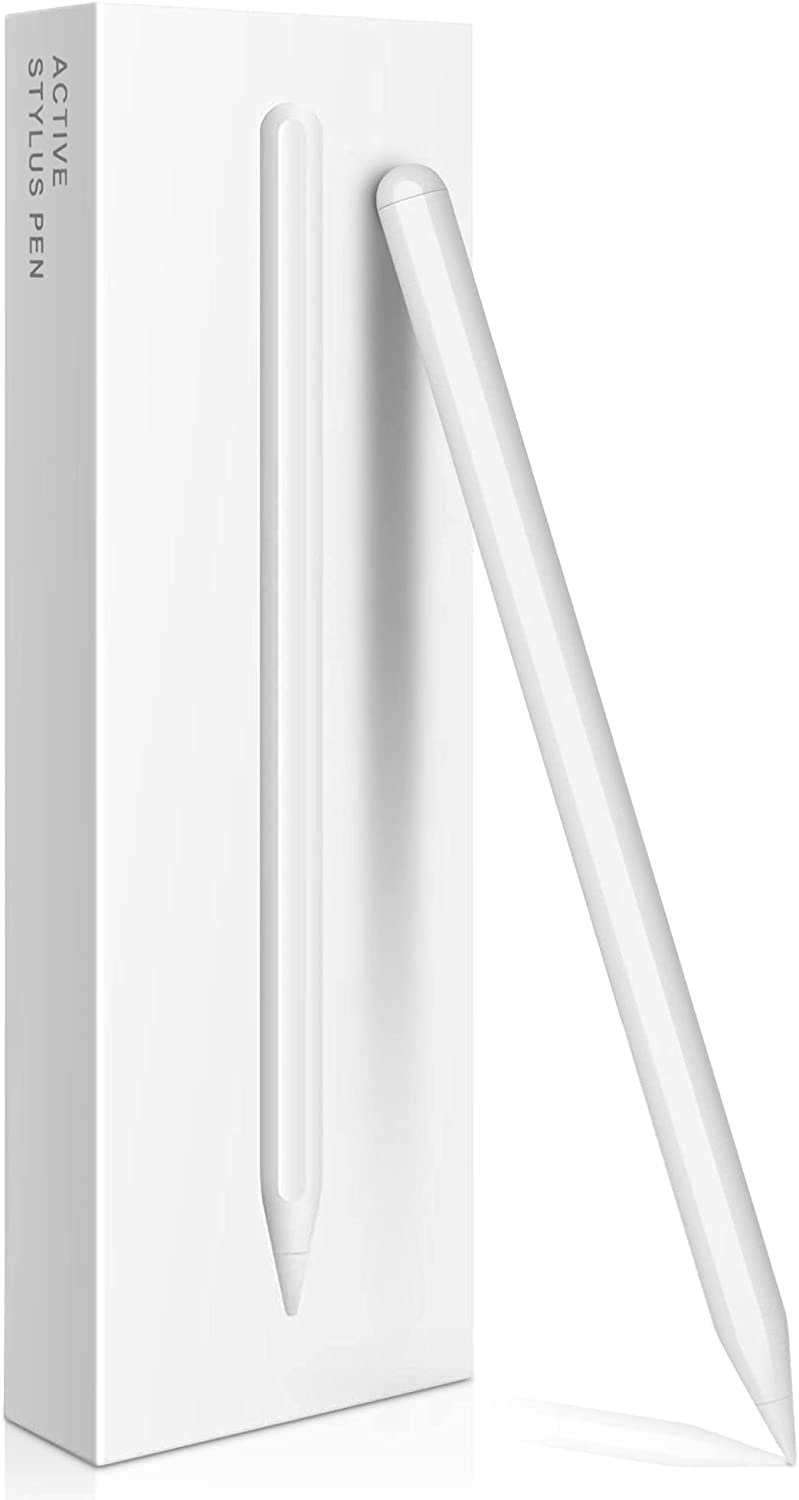
If you've recently picked up an iPad 10th Gen, you're likely enjoying its vibrant display and powerful performance. But when it comes to adding a stylus, you might have hit a snag: the much-lauded Apple Pencil 2nd Gen doesn't work with your tablet. Instead, you're looking at the 1st Gen Apple Pencil—a perfectly capable tool, but one that requires a clunky Lightning-to-USB-C adapter for charging and pairing. It's an inconvenient quirk, to say the least.
Thankfully, a new wave of alternative styluses for iPad 10th Gen offers a much smoother experience, primarily by embracing the universal convenience of dongle-free USB-C charging. These options don't just ditch the adapter; they bring a host of features designed to enhance your iPad experience, whether you're a student, a professional, or just someone who loves to doodle. Let's dive into how you can get the best stylus for your 10th-gen iPad without the charging hassle.
At a Glance: Your Stylus Choices for iPad 10th Gen
- Apple Pencil (1st Gen): Offers full pressure sensitivity and tilt, crucial for artists. The catch? It charges via Lightning, meaning you must buy a separate USB-C adapter to connect and charge it with your 10th-gen iPad.
- Apple Pencil (USB-C): A newer, more affordable Apple option that charges directly via USB-C and attaches magnetically. The catch? It lacks pressure sensitivity, making it unsuitable for serious art but great for notes and navigation.
- Logitech Crayon (USB-C): Often considered the best non-Apple option for general use. Offers excellent palm rejection, tilt detection, and USB-C charging. The catch? No pressure sensitivity.
- ESR Digital Pencil: A fantastic budget-friendly choice with USB-C charging, palm rejection, and tilt. The catch? No pressure sensitivity, and minor build compromises.
- Other Alternatives (Zagg, Adonit, JamJake): Offer varying features and price points, but generally lack pressure sensitivity and may have other trade-offs.
- Key takeaway for artists: Only Apple Pencils (1st Gen, 2nd Gen, Pro) currently offer true, universal pressure sensitivity across leading art apps like Procreate and Adobe Fresco. If you're serious about digital art, the 1st Gen (with its adapter) is likely still your best bet.
- Key takeaway for note-takers: Non-Apple styluses like the Logitech Crayon or ESR Digital Pencil offer a superior, dongle-free experience with USB-C charging and excellent core features like palm rejection and tilt.
The 10th Gen iPad's Stylus Predicament: Why Apple Made it Tricky
The iPad 10th Gen is a stellar tablet, boasting a modern design and a USB-C port for charging and accessories. This switch to USB-C was a welcome change, bringing it in line with other modern devices. However, it created an unexpected compatibility issue with Apple's own styluses.
Here’s the rundown:
- The Apple Pencil (2nd Gen), with its sleek design and magnetic charging, is not compatible with the iPad 10th Gen. This is a hardware limitation, likely due to internal design choices on the iPad itself.
- The Apple Pencil (1st Gen) is compatible. This is great news for artists who rely on its pressure sensitivity. But here’s the rub: the 1st Gen Pencil charges via a male Lightning connector. Since the iPad 10th Gen has a USB-C port, you can't just plug it in directly. You need Apple's $9 Lightning-to-USB-C adapter, which creates a rather awkward charging setup. It's functional, but certainly not elegant. You can learn more about this specific Apple Pencil setup in our detailed guide on Apple Pencil for 10th Gen iPad.
- The Apple Pencil (USB-C), released in late 2023, was Apple's attempt to bridge the gap. It charges via USB-C and magnetically attaches to your iPad. However, it conspicuously lacks pressure sensitivity, making it a non-starter for serious drawing and painting.
This unique situation opens the door wide for third-party manufacturers who have embraced USB-C charging and offer a compelling range of alternative styluses.
Deciding Your Stylus Path: What Do You Really Need It For?
Before you pick any stylus, take a moment to consider your primary use case. This distinction is crucial because it often dictates whether you need an Apple Pencil or if an alternative will serve you better—and save you money and charging headaches.
The Uncompromised Artist's Choice: Pressure Sensitivity (Apple's Domain)
If you're an aspiring digital artist, a seasoned illustrator, or anyone who plans to use apps like Procreate, Adobe Fresco, or similar professional drawing tools, then pressure sensitivity isn't just a nice-to-have; it's absolutely essential.
Pressure sensitivity allows your stylus to detect how hard you're pressing down, translating that force into varying line thickness, opacity, or brush effects. It's what makes digital drawing feel natural and expressive, mimicking the nuance of traditional art mediums.
As of mid-2024, here’s the critical piece of information: only Apple Pencils (1st Gen, 2nd Gen, and Pro) provide full, integrated, and universal pressure sensitivity across iPadOS and its leading creative apps. Non-Apple styluses, even those that claim some form of pressure sensitivity, generally don't offer universal support and often require specific app configurations or even disabling iPadOS features, making them impractical for serious artistic work.
For the serious digital artist with an iPad 10th Gen, this unfortunately means you're still looking at the Apple Pencil (1st Gen) and its adapter requirement. It's the only way to get true pressure sensitivity.
The Everyday Utility Tool: Notes, Sketching, and Navigation
For everyone else—students taking notes, professionals annotating documents, casual doodlers, or simply those who prefer precise navigation over finger input—the world of alternative styluses for iPad 10th Gen opens up dramatically.
These users prioritize features like:
- Palm Rejection: Crucial for resting your hand on the screen naturally while writing or drawing without making unwanted marks.
- Tilt Detection: Allows for shading effects, similar to tilting a pencil.
- Precision: Fine lines and accurate input for writing or detailed selections.
- Comfort: Ergonomic design for extended use.
- Easy Setup: No complex pairing processes.
- Reliable Charging: Ideally USB-C, avoiding dongles.
This is where the third-party alternatives truly shine, offering a superior user experience with dongle-free charging and excellent performance for these core tasks.
Exploring Apple's Own Options (and Their Quirks for 10th Gen)
While we're focusing on alternatives, it's important to understand where Apple's official offerings stand for the iPad 10th Gen.
Apple Pencil (1st Gen): The Proven Performer (with a Catch)
- Price: $100
- Key Features: Pressure sensitivity, tilt detection, pixel-perfect precision.
- Battery Life: Approximately 12 hours.
- Compatibility: Works with iPad 6-9, iPad mini 5, iPad Air 3, iPad Pro 9.7, 10.5, 12.9 (1st/2nd gen), and iPad 10th Gen (with USB-C adapter).
- Pros for 10th Gen: The only way to get universal pressure sensitivity from Apple on this iPad model.
- Cons for 10th Gen: Charges via Lightning, requiring a $9 USB-C adapter for connection and charging. The plastic nib can also be a bit noisy on glass.
If digital art is your priority, and you're willing to live with the adapter, the 1st Gen Apple Pencil remains the benchmark for creative expression on your iPad 10th Gen.
Apple Pencil (USB-C): A Modern Basic
- Price: $80
- Key Features: USB-C charging, magnetic attachment (for storage), hover functionality.
- Lacks: Pressure sensitivity, magnetic charging.
- Battery Life: Approximately 12 hours.
- Compatibility: Works with all iPads released since 2018, including your 10th Gen.
- Pros for 10th Gen: USB-C charging (finally!), magnetic attachment, more affordable than the 1st Gen Pencil. Great for navigating menus and basic tasks.
- Cons for 10th Gen: The glaring omission of pressure sensitivity makes it a non-starter for drawing or painting. It's essentially a more premium version of a basic stylus.
This pencil is a decent option if you just need precise input for general navigation or very light annotation and don't care about artistic expression. Some users find it a viable alternative to the Logitech Crayon, especially if found at a lower price, given its native magnetic attachment and hover feature.
Why the 2nd Gen and Pro Are Out
It's worth reiterating: the Apple Pencil (2nd Gen) and the new Apple Pencil Pro are not compatible with the iPad 10th Gen. The 2nd Gen is typically compatible with iPad mini 6, iPad Air 4/5, and various iPad Pro models. The Apple Pencil Pro is exclusive to the latest M2 iPad Air and M4 iPad Pro models. While these are fantastic styluses, their advanced features and seamless magnetic charging simply won't work with your 10th Gen device.
The Best Dongle-Free Alternatives: Top Picks for iPad 10th Gen
Now, let's get to the stars of the show: the alternative styluses that offer a smooth, dongle-free experience for your iPad 10th Gen, perfect for notes, light sketching, and general navigation.
Logitech Crayon (USB-C): The Reliable Workhorse for Notes
The Logitech Crayon has long been a favorite non-Apple stylus, and its USB-C variant is an excellent choice for the 10th Gen iPad.
- Price: Typically around $70.
- Key Features: USB-C charging, easy setup (just turn it on), excellent palm rejection, decent tilt detection, smooth writing experience.
- Lacks: Pressure sensitivity, magnetic charging (magnetic attachment is for storage only).
- Battery Life: Approximately 7 hours.
- Compatibility: Works with all iPads released since 2018.
- Pros: Reliable, robust build, highly responsive, and feels great in the hand. The USB-C charging makes it incredibly convenient. It’s often recommended as the gold standard for non-Apple note-taking styluses. You’ll find it’s perfectly suited for many of the top note-taking apps for iPad.
- Cons: Battery life is a bit shorter than some competitors. It doesn't include a USB-C cable in the box, which is a minor annoyance at this price point. It’s also pricier than some other alternatives, though its quality often justifies it.
If you're a student or professional who primarily needs a stylus for writing, annotating PDFs, and basic diagramming, the Logitech Crayon offers a premium, hassle-free experience that closely mimics the feel of the Apple Pencil (USB-C), but often at a better value.
ESR Digital Pencil: Value & Functionality Combined
For users seeking excellent performance without breaking the bank, the ESR Digital Pencil stands out as a top contender.
- Price: Under $30.
- Key Features: USB-C charging, incredibly easy setup (just power on), decent tilt detection, reliable palm rejection.
- Lacks: Pressure sensitivity.
- Battery Life: Approximately 13 hours.
- Compatibility: Works with almost all iPads 2018 or later.
- Pros: Outstanding value for money. Comes with a USB-C cable and replacement nibs—a thoughtful inclusion. Excellent battery life. Performs all core note-taking and light sketching functions admirably. It’s one of those other essential iPad accessories that just makes sense.
- Cons: Minor cost-cutting compromises are evident in the build quality compared to Logitech or Apple, but it still feels sturdy enough. Like other alternatives, no pressure sensitivity.
The ESR Digital Pencil is an exceptional choice if you’re looking for an affordable, reliable stylus for note-taking, annotating, and general iPad navigation. It delivers a surprising amount of performance for its price point.
Zagg Pro Stylus 2: A Step Up (But Check Compatibility)
Zagg offers a range of styluses, with the Pro Stylus 2 being their most advanced.
- Price: Around $80.
- Key Features: USB-C charging, Qi wireless charging (for compatible iPads like the Pro), magnetic attachment.
- Lacks: While Zagg claims "pixel-perfect precision and smooth, natural lines," it generally lacks the universal pressure sensitivity found in Apple Pencils. The writing experience, while good, may not be as smooth or consistent as the Logitech Crayon.
- Compatibility: Works with most iPads (2018 and later). The magnetic attachment is best with iPad Pro models.
- Pros: Offers Qi charging on compatible iPads, which is a neat feature if you also own an iPad Pro. USB-C charging for the 10th Gen.
- Cons: The original Zagg Pro Stylus had a gunmetal grey color that might not match the vibrant 10th Gen iPad colors. The writing/pairing experience of the Pro Stylus 2, while improved, still doesn't quite match the seamlessness of the Logitech Crayon.
The Zagg Pro Stylus 2 is a solid option, especially if you prioritize the convenience of Qi charging for other iPads, but for the 10th Gen, its main advantages over the Crayon are less pronounced given the lack of universal pressure sensitivity.
Adonit Note+: Programmable Buttons & App Compatibility (Caveats Apply)
Adonit has been in the stylus game for a long time, and the Note+ (and its successor, Note+ 2) brings some unique features.
- Price: Varies, typically $70-$80.
- Key Features: USB-C charging, palm rejection, tilt recognition, two programmable shortcut buttons, iPad app compatibility.
- Claims: The Adonit Note+ 2 claims pressure sensitivity.
- Lacks: Despite claims, the pressure sensitivity on the Note+ 2 is generally not supported in leading apps like Procreate or Adobe Fresco in a universal, integrated way. Users have also reported Bluetooth connectivity issues.
- Pros: The programmable buttons are a unique feature for quick actions (e.g., undo, erase).
- Cons: The pressure sensitivity claims are misleading for serious artists. Bluetooth issues can be frustrating.
While the programmable buttons are intriguing, the Adonit Note+ line generally falls short for serious creative work due to limited pressure sensitivity support and potential connectivity woes.
JamJake Stylus Pen: The Budget Option (Use with Caution)
For those looking for the absolute cheapest entry point, brands like JamJake offer extremely affordable styluses.
- Price: Often under $20.
- Key Features: Basic stylus functionality, magnetic attachment (for storage on iPad Pros).
- Lacks: Tilt detection, pressure sensitivity.
- Compatibility: Works with most iPads (2018 and later).
- Pros: Very inexpensive, offers basic navigation and writing.
- Cons: The capacitive power button is often prone to accidental activation or deactivation, interrupting your workflow. Quality and durability can be inconsistent, leading to shorter lifespans or less reliable performance.
The JamJake stylus is a bare-bones option that might suffice for very occasional, non-critical use. However, for a genuinely good user experience, it's generally worth investing a little more in options like the ESR Digital Pencil. Even with a good quality the right screen protector can make all the difference, a subpar stylus can still disappoint.
Key Stylus Features to Prioritize for Your Workflow
Understanding the terminology behind stylus features will empower you to make an informed decision that aligns with your specific needs.
Pressure Sensitivity
- What it is: The stylus detects how hard you press, varying line thickness, opacity, or brush size.
- Why it matters: Absolutely crucial for drawing, painting, and any artistic work where expressive lines are needed.
- For 10th Gen iPad: As we’ve covered, only the Apple Pencil (1st Gen) offers this universally and effectively for professional creative apps.
Tilt Recognition
- What it is: The stylus detects the angle at which you hold it, allowing for shading effects similar to tilting a graphite pencil.
- Why it matters: Enhances the natural feel of drawing and shading. Useful for both artists and those who want to add some flair to their notes.
- For 10th Gen iPad: Many non-Apple styluses, including the Logitech Crayon and ESR Digital Pencil, offer good tilt detection.
Palm Rejection
- What it is: The iPad ignores input from your palm or resting hand while you're using the stylus, preventing accidental marks.
- Why it matters: Essential for comfortable and natural writing or drawing. Without it, you'd have to hover your hand, which is fatiguing and unnatural.
- For 10th Gen iPad: Most quality alternative styluses, like the Logitech Crayon and ESR Digital Pencil, feature excellent palm rejection.
Precision & Latency
- What it is:
- Precision: How accurately the tip registers on the screen, allowing for fine details.
- Latency: The delay between making a stroke and seeing it appear on screen.
- Why it matters: High precision ensures your lines go exactly where you intend. Low latency makes the writing or drawing feel responsive and natural, like pen on paper.
- For 10th Gen iPad: Apple Pencils are top-tier here. The Logitech Crayon is also excellent, with the ESR Digital Pencil performing very well for its price.
Charging Method & Battery Life
- What it is: How the stylus recharges and how long it lasts on a single charge.
- Why it matters: USB-C charging is a major convenience, especially for the iPad 10th Gen, as it means fewer cables and no dongles. Good battery life means less interruption.
- For 10th Gen iPad: Most recommended alternatives (Logitech Crayon, ESR Digital Pencil) offer USB-C charging. Battery life typically ranges from 7-13 hours for alternatives, and around 12 hours for Apple Pencils. Consider optimizing your iPad's battery life to get the most out of both devices.
Comfort & Build Quality
- What it is: The ergonomic feel of the stylus in your hand and the durability of its construction.
- Why it matters: A comfortable stylus prevents hand fatigue during long sessions. Good build quality ensures longevity.
- For 10th Gen iPad: Logitech Crayon feels very robust. ESR is decent for the price. Apple Pencils are premium.
Nib Feel
- What it is: The material and resistance of the stylus tip as it glides across the screen.
- Why it matters: A softer nib might offer more friction, mimicking paper, while a harder plastic nib might be smoother but noisier.
- For 10th Gen iPad: Apple Pencils have a hard plastic nib. Some alternatives offer slightly softer tips or come with replacement nibs that vary in feel.
Common Questions About iPad Styluses
Navigating the world of iPad styluses can be confusing, especially with the 10th Gen's unique compatibility. Here are answers to some common questions.
"Can any stylus work with the iPad 10th Gen?"
No. While many generic "capacitive" styluses (the rubber-tipped kind) will technically work to tap the screen, they lack precision, palm rejection, and tilt/pressure sensitivity. For a proper experience, you need an "active" stylus designed for iPads released since 2018.
"Do I really need pressure sensitivity?"
Only if you are a serious artist or plan to engage in professional-level drawing, painting, or detailed illustration in apps like Procreate or Adobe Fresco. For note-taking, annotating, general sketching, or simply navigating your iPad, pressure sensitivity is not necessary.
"Is the Apple Pencil (USB-C) good for drawing?"
No. Due to its complete lack of pressure sensitivity, the Apple Pencil (USB-C) is not recommended for drawing. It's best suited for tasks like note-taking, annotating, and general navigation where consistent line weight is acceptable. If you're looking for drawing apps that truly shine, you'll want pressure sensitivity.
"Why is the Apple Pencil 2nd Gen not compatible with the 10th Gen iPad?"
This is a hardware limitation. The iPad 10th Gen lacks the internal components and external magnetic charging strip required for the Apple Pencil 2nd Gen to pair and charge wirelessly.
"How do I pair a non-Apple stylus with my iPad 10th Gen?"
Most non-Apple styluses, especially those designed for iPads 2018 or later, are incredibly simple to pair. Typically, you just turn them on (often by pressing a button on the stylus), and they connect automatically via Bluetooth or a proprietary low-energy connection. There's usually no need to go into the iPad's Bluetooth settings to manually pair. Just ensure the stylus is charged.
Making Your Choice: A Decision Framework
With all the options and features laid out, here’s a simple framework to help you choose the best stylus for your iPad 10th Gen.
Scenario 1: Serious Digital Artist (Procreate, Adobe Fresco)
- Your Pick: Apple Pencil (1st Gen)
- Why: It’s the only way to get true, universal pressure sensitivity for professional art apps on the iPad 10th Gen.
- Be Prepared For: The $9 Lightning-to-USB-C adapter for charging and pairing. It’s an unavoidable dongle.
Scenario 2: Dedicated Note-Taker & Annotator
- Your Pick: Logitech Crayon (USB-C) or ESR Digital Pencil
- Why: Both offer excellent palm rejection, tilt detection, and USB-C charging. The Crayon feels more premium; the ESR offers unbeatable value. They provide a smooth, natural writing experience without any charging fuss.
- Be Prepared For: No pressure sensitivity, but you don't need it for notes.
Scenario 3: Light Sketching & General Navigation
- Your Pick: ESR Digital Pencil or Apple Pencil (USB-C)
- Why: The ESR is an outstanding value for basic drawing, casual doodling, and general iPad interaction. The Apple Pencil (USB-C) offers Apple's build quality and hover, but for a higher price and still no pressure sensitivity.
- Be Prepared For: Limited artistic capabilities compared to the 1st Gen Apple Pencil.
Scenario 4: Budget-Conscious User
- Your Pick: ESR Digital Pencil
- Why: It provides the best balance of features, performance, and price, often including useful accessories like a cable and extra nibs.
- Be Prepared For: Minor compromises in build quality compared to higher-priced options, and definitely no pressure sensitivity. Avoid extremely cheap no-name brands unless you're truly just tapping around.
Final Strokes: Getting the Most Out of Your iPad Stylus
Choosing the right stylus for your iPad 10th Gen doesn't have to be a headache. By understanding your core needs—be it the nuanced control of pressure sensitivity for art or the practical efficiency of palm rejection and USB-C charging for notes—you can confidently select a tool that truly enhances your iPad experience.
Remember, if serious digital art is your passion, the adapter-clad Apple Pencil (1st Gen) is still the way to go. But for everyone else seeking a seamless, dongle-free experience, the alternatives like the Logitech Crayon or the highly recommended ESR Digital Pencil offer exceptional value and convenience. Embrace the USB-C revolution, and enjoy a smoother, more intuitive interaction with your iPad 10th Gen.